The big updates, the small improvements and the bugs we fixed. Found something broken, or have an idea? Tell us below.
Update
The fretting hand plays more naturally (beta)
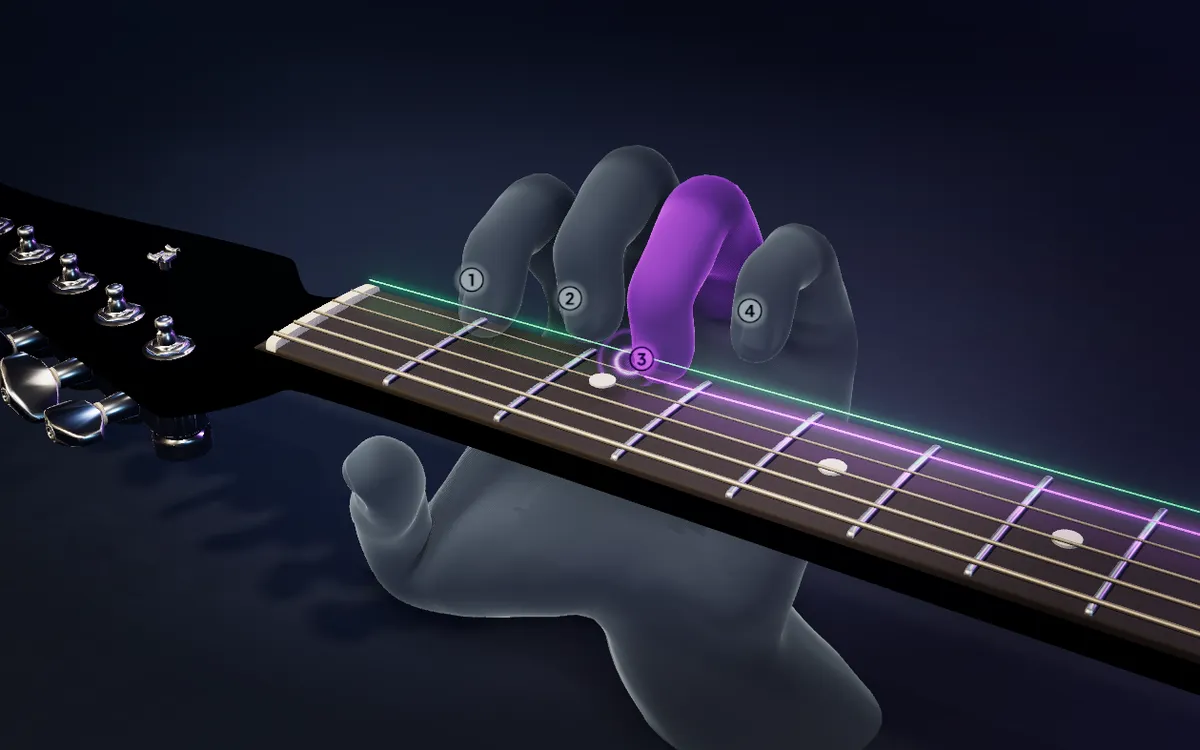
The fretting hand on the 3D guitar moves more like a player now: calmer, easier to follow, and with fingerings that make more sense. It is still in beta.
A calmer hand that is easier to followPro
The hand travels along the neck at a human pace instead of jumping, and a finger stays on its note long enough for you to see it. A finger that lies flat across several strings stays flat when the chord changes, and the hand goes along with every slide.
The same chord is fingered the same way each time it comes back, a finger no longer hops between two frets when another finger is free, and natural harmonics are touched lightly instead of being left out.
Still in betaPro
The hand is not finished. In fast runs and wide stretches it can still look unnatural or pick an unusual fingering, and we keep working on it. It stays part of Pro, and you can try it free for 7 days with no card.
The 3D guitar now has a fretting hand: a see-through hand on the neck that plays along with the song, so you see how a part is played, not only where the notes are.
The fretting handPro
It shows which finger goes on which string and fret, how the hand sits on the neck, and when each finger presses down and lets go, in time with the song. You see it in Learn and when you make a video. It is new and still in beta: in fast or very high passages it can still pick an unusual fingering, and we are improving it.
The fretting hand is part of Pro. You can try it free for 7 days with no card; a video made during the trial leaves it out, like the other Pro parts of a video.
The guitar now shows how the fretting hand really sits: the fingers that stay down, where the hand is, and every hammer-on and pull-off. The camera keeps up with the playing, and Learn lets you choose your own way through the lessons.
Your hand on the neckPro
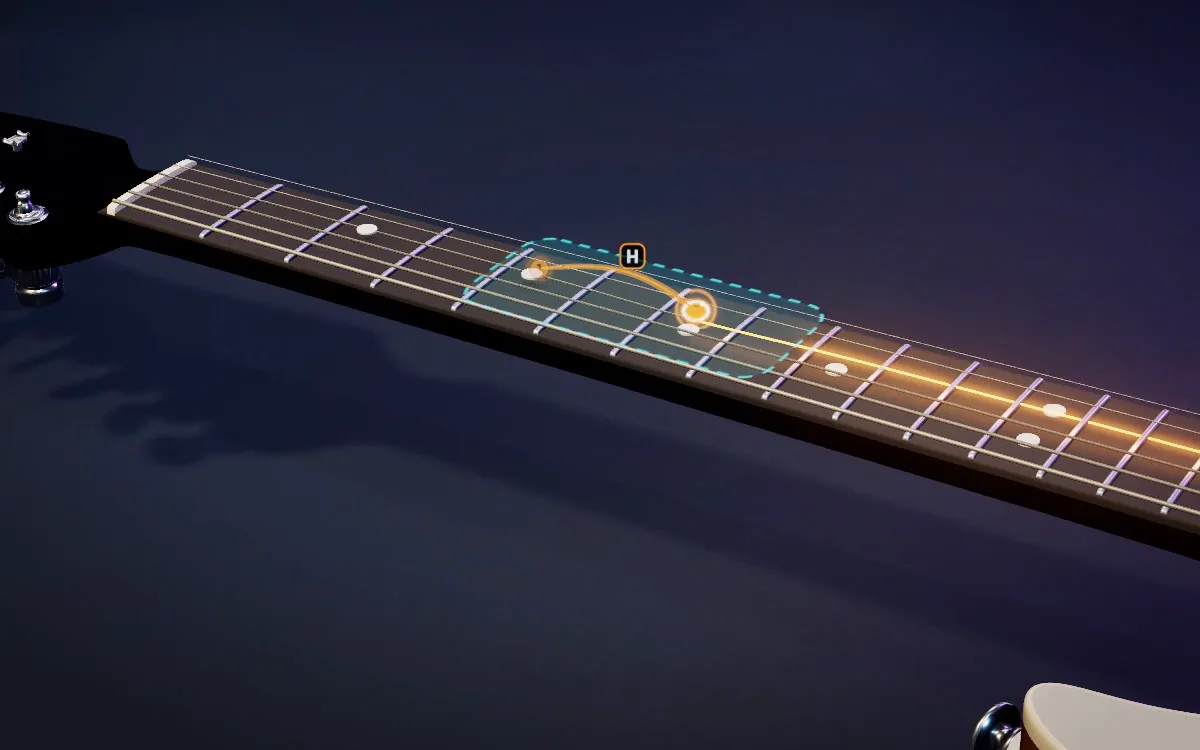
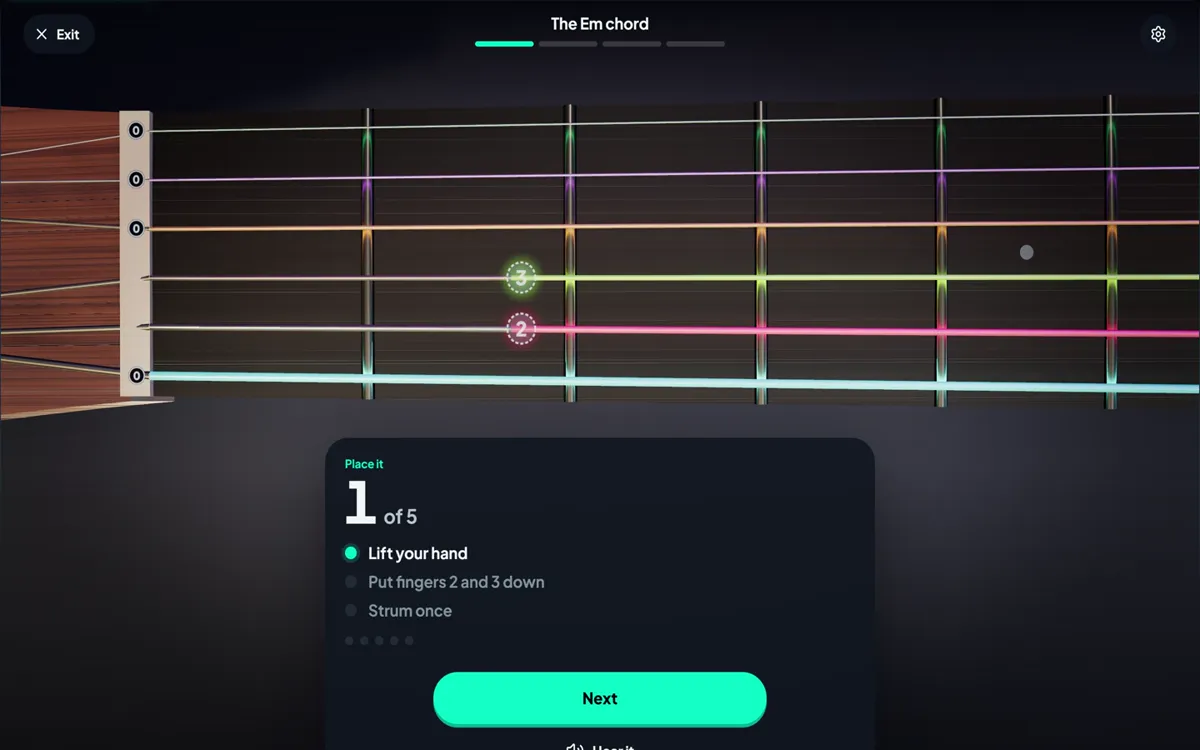
Fingers that hold a note stay down as dots with their finger number, a hand field shows where the hand sits, and the next fingers wait as dashed rings before they land. In an arpeggio the hand stays put instead of jumping from note to note. When a string is bent, its finger and number move with it.
A short arc with H or P joins the two notes. On a hammer-on the finger hovers over its fret and presses down when the note sounds; on a pull-off the upper finger lifts away while the lower one is already down. No pick stroke on either.
Each one on or offPro
Fingers, Hammer-ons and pull-offs, Hand field and Finger numbers each have their own switch, in Guitar, Fingers when you make a video and in the Learn settings. Your video shows what you see on the guitar.
Learn your way
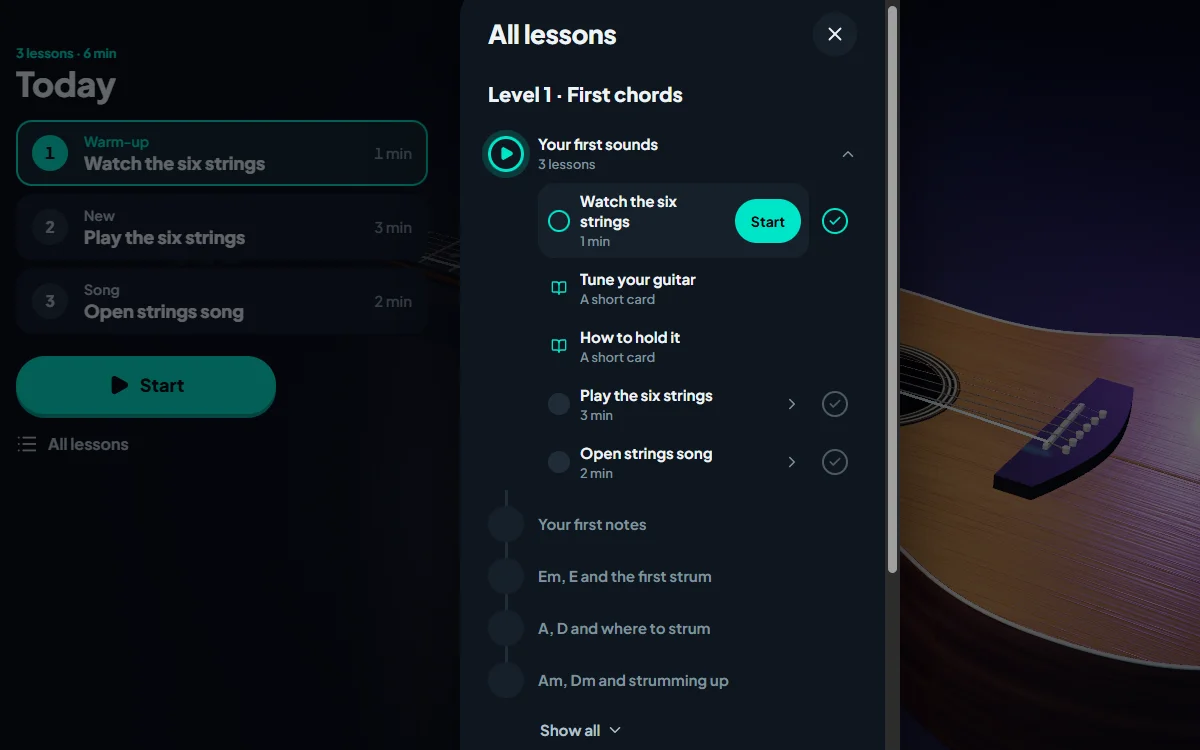
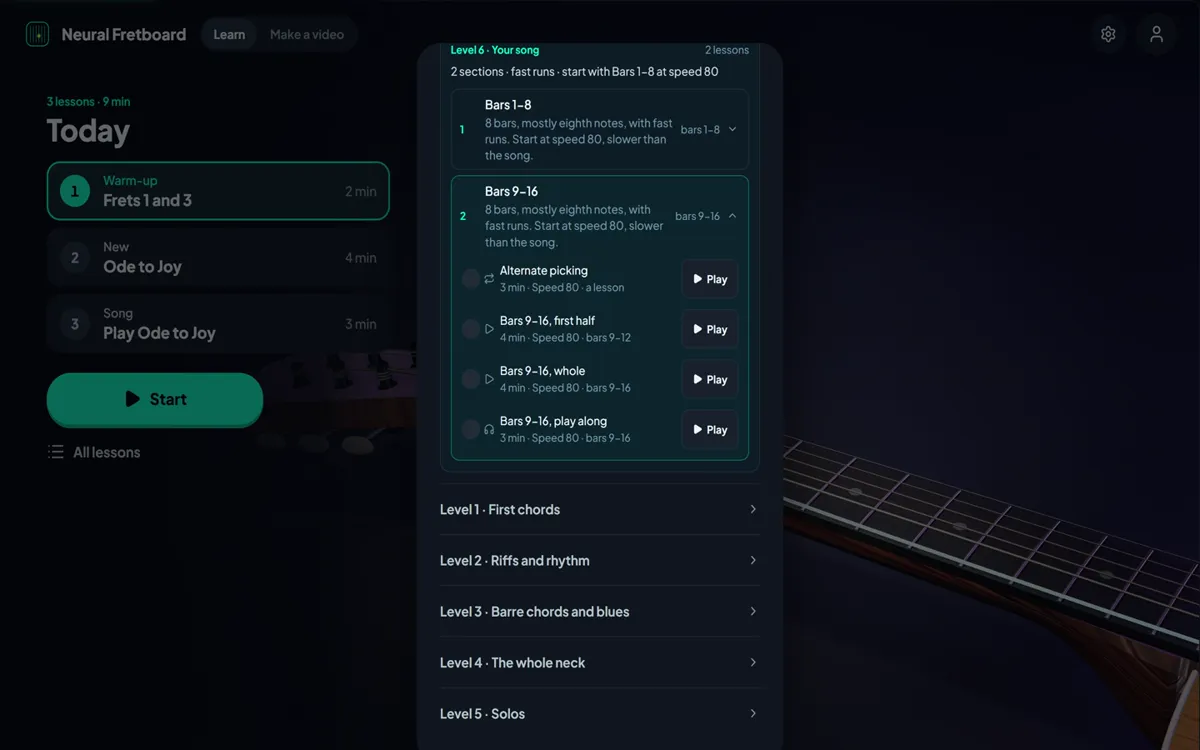
Open any lesson from All lessons and Today goes on from there, not from the first lesson of the level. A check next to each lesson marks it as done, or as not done again, and that is kept on your account.
Follow playing now keeps every fretted note in the shot, also when the playing jumps from high up the neck to the first frets. It starts to move just before the jump, zooms out as far as it must and back in once the hand has settled. Open strings no longer pull it toward the nut.
Your own song as a course lists its parts in song order, beginning at the top.
The crown on Your own songs in Learn no longer shows for Pro.
Signing in on a new browser keeps your level instead of asking where you start again.
A change made just before you close the tab now reaches your account.
Hammer-ons and pull-offs written in a MusicXML file are no longer lost when the song loads.
Update
Meet Neural, our own guitar
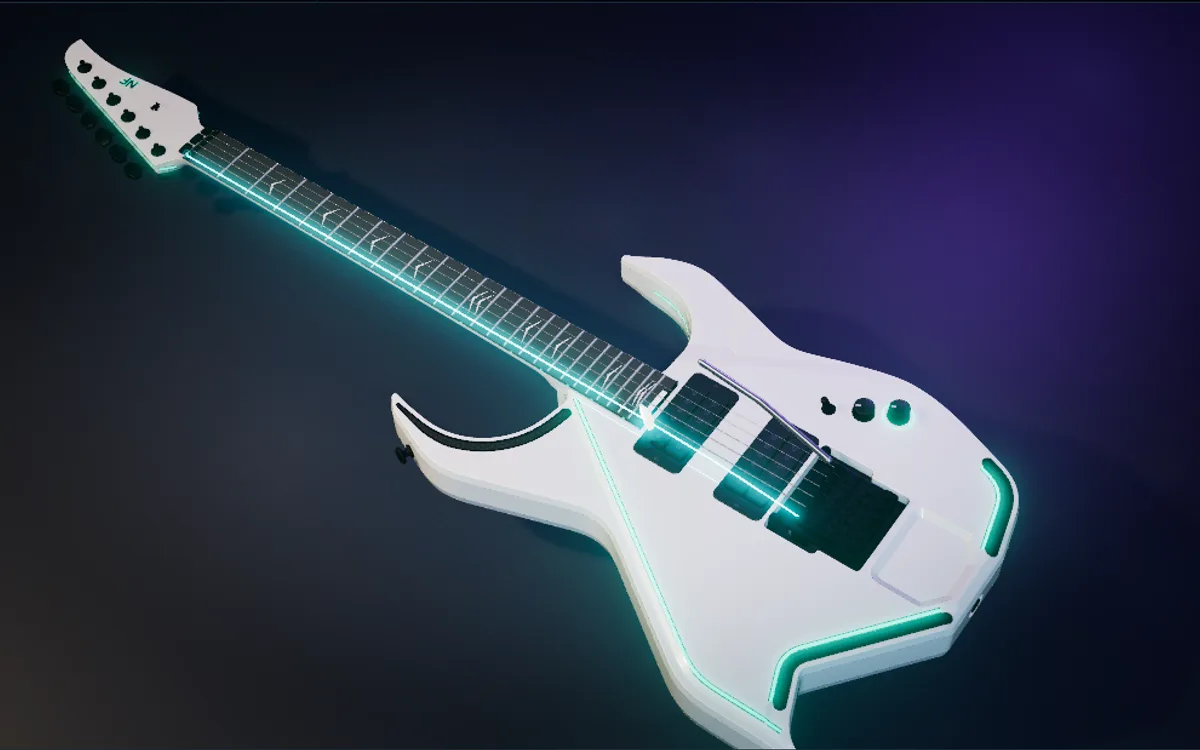
There is a new guitar on stage: Neural, designed by us for Neural Fretboard.
Neural, a new guitar
An angular white body with black mesh parts and light lines set into the body, on the same 24-fret neck as the electric. Pick it in Guitar next to Acoustic and Electric. You choose the colour and strength of its lights, and the chevron inlays on the fretboard stay white or glow in a colour of their own.
Learn and Make a video, rebuilt from the ground up
The 3D guitar now has two clear modes, Learn and Make a video, one switch apart. Both got a new design, and a lot of what used to be hidden in menus is now one tap away. Here is what changed.
Learn guitar from zero, step by step
A guitar course in six levels, from holding the guitar and tuning to your first chords and beyond. Every lesson goes the same four steps: See it, Place it, Try it, Play it. The guitar shows each shape on the neck with a finger number in every ring, waits for you note by note, then plays along with you. You say how it went, so no microphone is needed. Levels 1 and 2 are free.
A hand button in the top bar shows which finger is 1, 2, 3 and 4 and where your thumb goes, whenever you need it. The speed is yours too: Slow and Normal are one tap, and the arrow beside them opens a slider to set the exact speed.
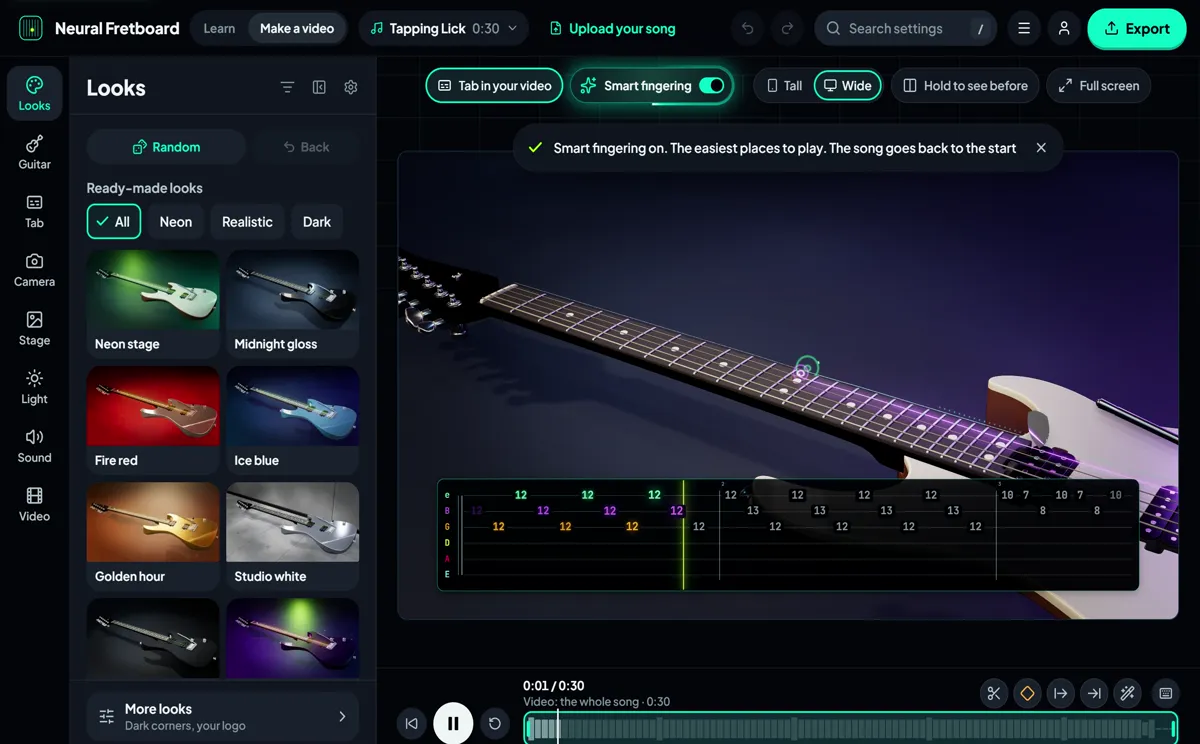
A tab tells you which notes, not which fingers. Turn on Smart fingering and the guitar plays your song where a hand would actually play it, with less jumping up and down the neck. The switch sits right in the bar, in Learn and in Make a video.
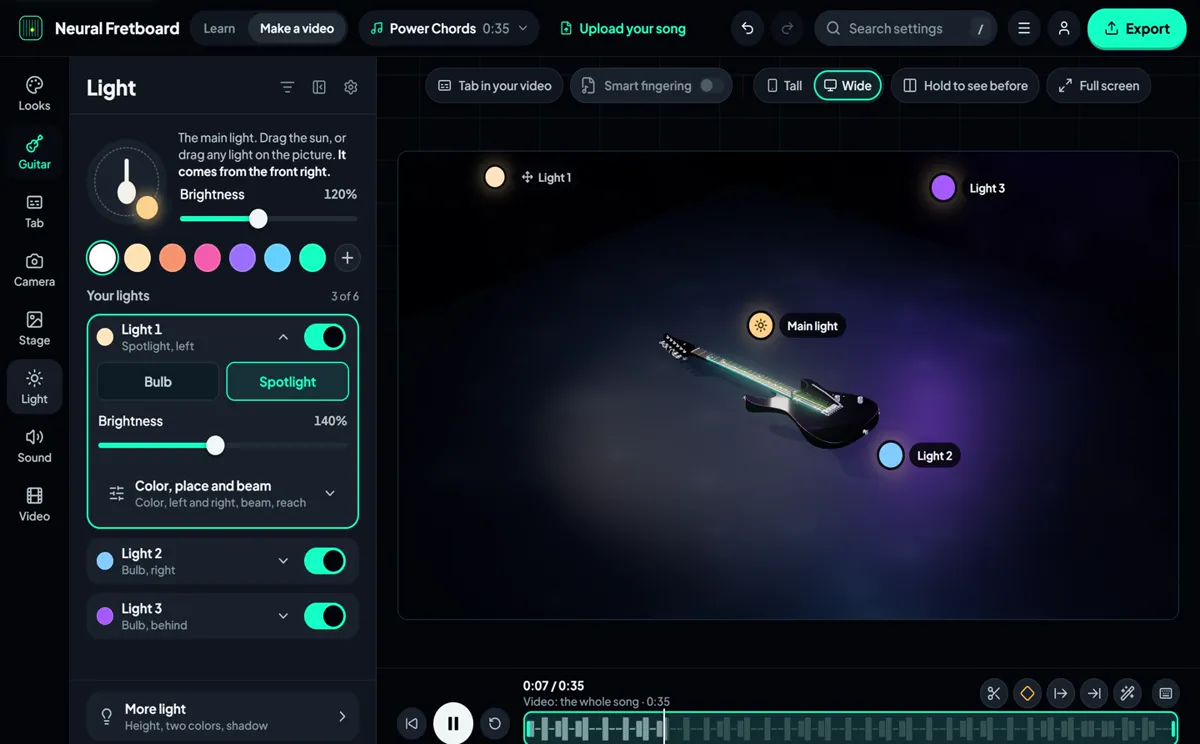
Make a video has one panel per topic: Looks, Guitar, Tab, Camera, Stage, Light, Sound and Video. Drag the lights right on the picture, pick a room, a camera move, a finish. Can’t find a setting? The search box finds it by its name, and Only what I changed shows what you touched.
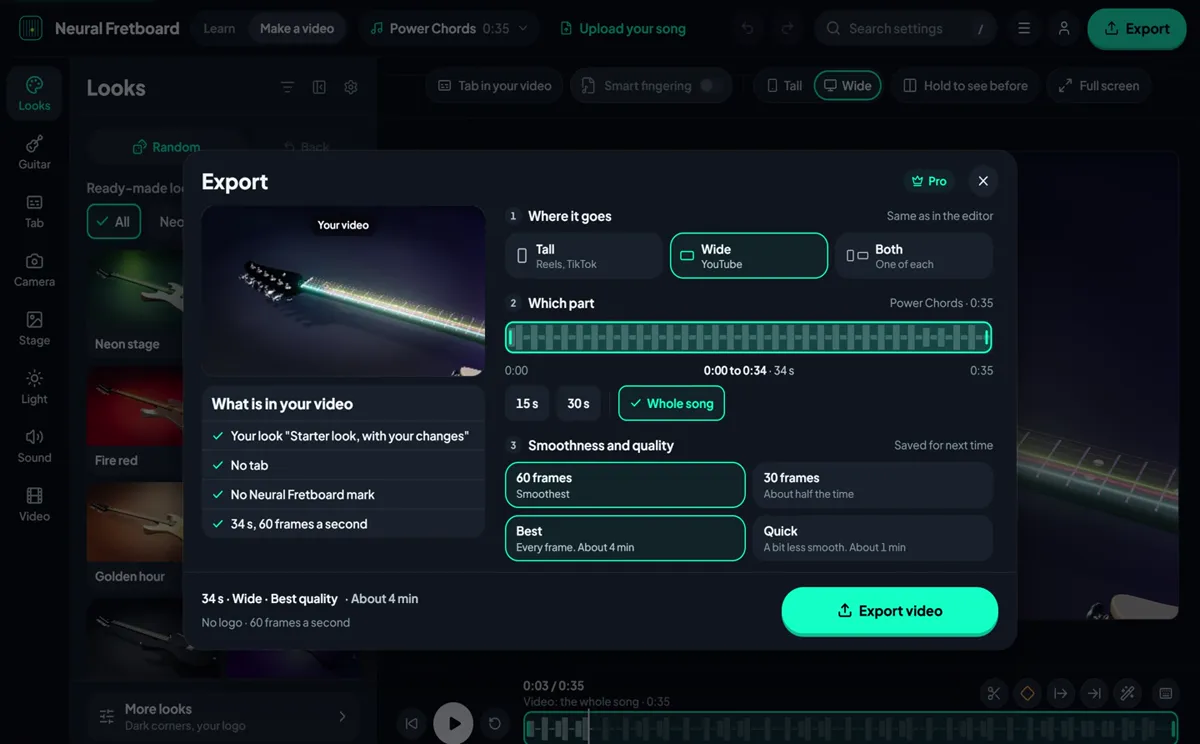
One export page for phone and desktop: where it goes (TikTok and Reels, YouTube, or both), which part of the song, what is in your video and the quality. While it records you see the frame being made and when it will be ready.