Turn your tab into a music video.
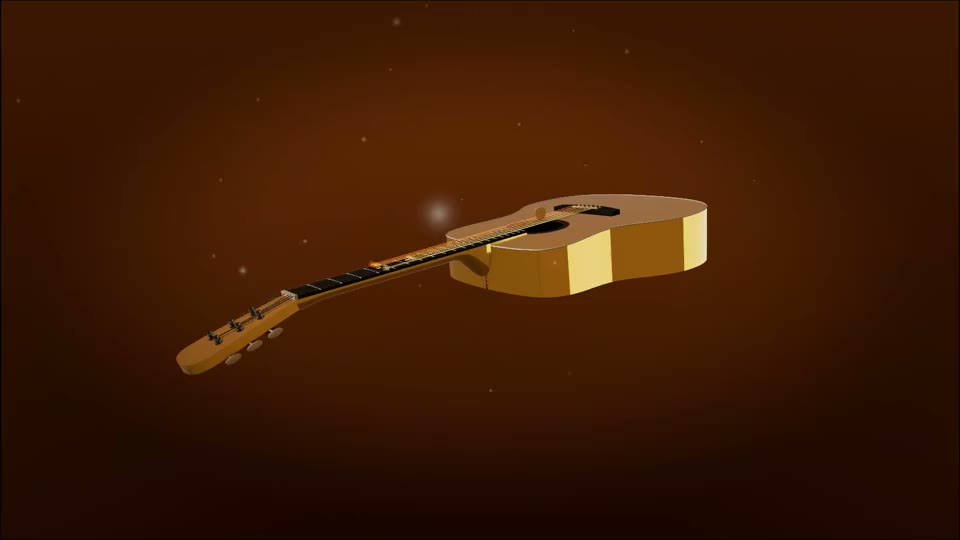
That riff you tabbed out deserves more than a screen recording. Import the Guitar Pro file, and the 3D Guitar turns it into a music video: the full band plays while a photoreal guitar performs your track, every note lighting up on the exact string and fret the tab says.
Because the instrument is real, guitarists in your audience can literally follow the fingering. That is the difference between scrolling notation and a performance.
Bring your tab
Guitar Pro .gp through .gp7, MusicXML or a MIDI file. It has to be the file itself, not a screenshot or a PDF of one. Drop it here and the 3D Guitar opens with your song in it.
Or drag it anywhere onto this box. It plays in your browser and is saved to your own private library.
How do you turn a guitar tab into a music video?
You need the tab as a file rather than a screenshot: Guitar Pro (.gp to .gp7), MusicXML and MIDI all work. Load it into the 3D Guitar on Neural-Fretboard and choose which track the guitar should perform. The rest of the score keeps playing underneath, so a band arrangement still sounds like a band. A photoreal 3D guitar then plays that part on the exact strings and frets written in the tab, with the fretting hand moving between positions and the pick working the strings. Style the take: pick one of eleven looks, pose and light the instrument, choose the move the camera opens on. Then export 9:16 for TikTok, Shorts and Reels, or 16:9 for YouTube, either as one video or as one clip per section of the song.
Everything renders in your browser on your own machine, so there is no queue to wait in. The free plan covers 3 videos a month at full 1080p, each with a small neural-fretboard.com mark in the corner. The Creator plan is EUR 7.99 a month or EUR 59 a year, and it lifts the monthly limit and the mark, adds 60 fps, and unlocks saved looks, the sampled guitar tones and your own artwork on the body.
From .gp file to post
Import the tab
Guitar Pro (.gp to .gp7), MusicXML or MIDI. A track picker lists every part in the score with its note count: choose the one the guitar performs, the rest plays underneath it.
Make it yours
Pick one of eleven looks, pose and light the instrument, choose the opening camera move, and balance the band in the mixer. Saved looks, the sampled tones and your own artwork on the body are Creator features.
Export and post
The whole song or one clip per section, 9:16 or 16:9, rendered on your own machine at full 1080p. Free covers 3 videos a month; Creator lifts the limit and adds 60 fps.
What a Guitar Pro file is actually carrying
A .gp file is not one guitar part, it is a score. Rhythm guitar, lead, bass, drums and keys each sit on their own staff, with the repeats and the tempo changes written once for all of them. So the import starts with a question rather than an assumption: a track picker lists every part in the file with its note count, and you say which one the guitar on screen performs. Nothing else is discarded. The whole score is rendered to audio and plays underneath the performance, which is why the video sounds like the arrangement instead of one dry guitar line.
The featured track is handed over rather than doubled. It is silenced inside the score render and played by the app instead, so the guitar you are watching is the guitar you are hearing, and a mixer sits with the song for the rest: pull the second guitar down, silence the drums, or switch the band off entirely and leave only the part being performed. That band playback uses the file’s own synthesizer and is free on every plan. The sampled tones, from acoustic and clean electric through rock and metal with a distortion amp behind them, are part of Creator.
Timing comes from the file’s own playback engine and not from a bar count, so repeat signs are expanded into real passes, the full tempo map is applied, and triplets land where they were written. The performance on screen and the band audio are generated from the same pass, which is the only reliable way to stop them drifting apart over the length of a song.
Whose fingering you are watching
A tab already answers the question a guitar video has to answer: which string, which fret. Import a Guitar Pro file and the app switches itself to RAW, which means the author’s own positions are used as written, each one checked against the pitch it is supposed to sound before it is trusted. SMART is the other mode, and it is for files that carry no fingering at all: there the app solves the whole passage at once and picks the run of positions that keeps the hand in one place, instead of choosing each note in isolation and sending the hand up and down the neck.
A capo stays a capo instead of becoming a transposition. A bar appears across the neck at the right fret, and the fret numbers you read are counted from the capo, exactly as the printed tab counts them. Alternate tunings travel the same route: the real tuning is read off the staff in the file, so a Drop D riff sits on the low string where it was written and an Eb standard tab does not come apart, and the song card names the tuning it found rather than assuming standard.
Techniques are visible rather than implied, because the instrument is a real object and not a diagram. A bend pushes the string sideways across the board, kinked at the finger the way a real bend pivots between nut and saddle. A slide glides the fretting position along the string across the note’s written length instead of jumping to the destination. A hammer-on or a pull-off is not struck at all, since the whole point of the technique is that the pick never touches it, and the string still lights up and rings.
One song, one clip per section
A four minute song is not a post. Sections are the answer: mark the intro, the verse and the solo, and the exporter renders each one as its own file, named after the song and the section. A Guitar Pro file brings its own markers when the author wrote them, and plenty of real files have none, so you can also plant one at the playhead with a button. Section markers inside a standard MIDI file are read too, which is how most recording software writes an arrangement out.
Each clip is cut while it renders rather than trimmed out of a finished video afterwards, because a trimmed clip inherits the middle of someone else’s take: no opening camera move, no fade in, and an audio head that starts partway through a note. A run of clips also counts as a single export against your monthly allowance rather than one per clip.
Before a take begins, the app measures how fast your machine is really drawing at export resolution. If it cannot hold the target it does not quietly write a stuttering file. It switches to a two pass export instead, recording the audio in one pass and then stepping the video forward one frame at a time in the second, so a slow laptop or a phone still ends up with a smooth file. The trade is honest: it takes longer than the song does.
Where this stops
It is not a tab editor. It performs the file you bring, and a wrong note in the file will be a wrong note in the video. The player is where a tab gets slowed down and practiced; writing one is a job for a tab editor, and this app does not try to be one.
It does not take audio. There is no path from an MP3 or a WAV into the video, because working out the notes from a recording is a different and much messier problem. Bring a Guitar Pro file or a MIDI file instead.
And RAW only means something when the file has fingering in it to follow. Standard MIDI carries pitches and nothing at all about hands, so a MIDI import is always a computed arrangement, however convincing it looks on the neck. If the tab exists, bring the tab.
What you get, honestly
- The whole score plays, not just the track on screen. A per-track mixer lets you mute, balance or switch the band off completely.
- RAW keeps the tab author’s own string and fret choices, with the capo drawn on the neck and alternate tunings read from the file.
- Sections split one song into one clip per part, each cut as it renders and named after the song and the section.
- Free: 3 videos a month, full 1080p, all eleven looks, with a small neural-fretboard.com mark in the corner. Creator: EUR 7.99 a month or EUR 59 a year for unlimited videos with no mark, 60 fps, saved looks, sampled tones and your own artwork.