A guitar visualizer that actually plays the guitar.
Most things sold as music visualizers draw the sound: a waveform, a spectrum, a bar that jumps. They are decorations laid over audio, and they would look the same whichever instrument made it.
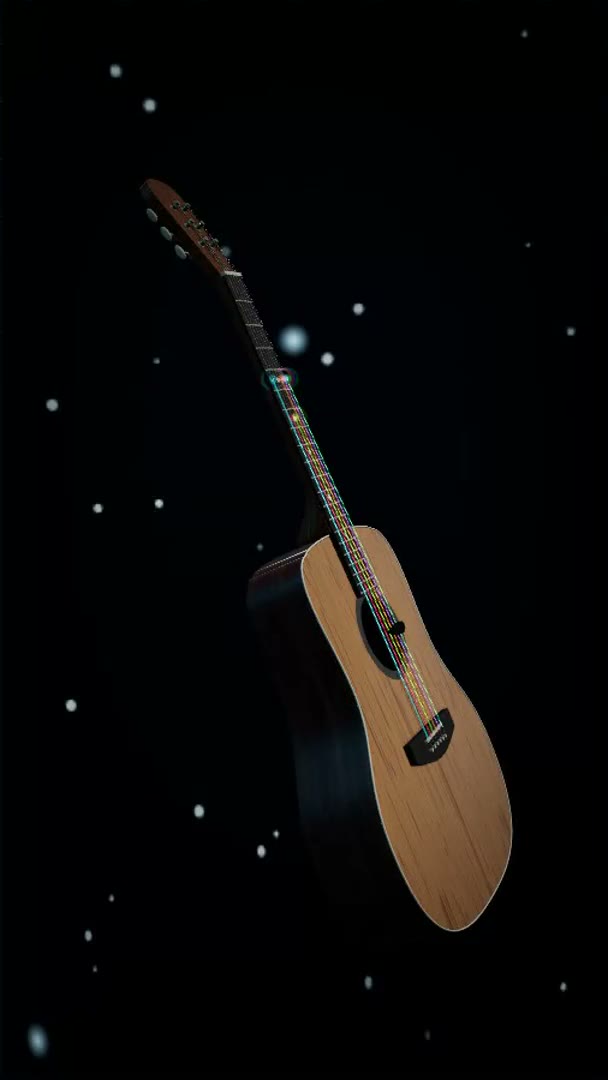
This one visualizes the playing. A photoreal 3D guitar holds your song, the fretting hand moves to each position, the pick works the strings, and every note lights the exact place on the neck where it belongs. A guitarist watching can read it. That is the whole difference.
See it with your own song
A Guitar Pro tab gives the truest result because it already says which string and fret to use. MIDI works too. Drop the file here and the instrument picks it up.
Or drag it anywhere onto this box. It plays in your browser and is saved to your own private library.
What is a guitar visualizer?
A guitar visualizer shows a song on a guitar neck instead of on a waveform or a piano roll, so you can see which string and fret each note lands on. Neural-Fretboard does this with a photoreal 3D instrument rather than a diagram: you load a Guitar Pro tab or a MIDI file, the guitar performs it with a moving fretting hand and a pick, and you can style the scene, the lighting and the body before exporting it as a video.
It runs in the browser with nothing to install and nothing uploaded. The free plan covers 3 videos a month at full 1080p, each with a small neural-fretboard.com mark in the corner. Guitar Pro files (.gp through .gp7), MusicXML and standard MIDI are supported; audio files such as MP3 are not.
What you actually control
The performance
Choose which track the guitar plays and whether it follows the tab author’s fingering exactly or works out its own playable positions.
The instrument
Body finish from wood through lacquer to chrome and gold, string colors, and your own artwork placed on the body.
The shot
Eleven built in looks with their own scene and light, a camera that either holds still or drifts, and an opening move. Then export vertical or landscape.
Why the fingering is the hard part
Showing a note on a fretboard sounds simple until you notice that the same pitch exists in several places on a guitar. Pick the wrong one and the video shows a hand leaping around the neck for a passage any player would keep under one position. It looks wrong to exactly the audience you made it for.
When the file is a Guitar Pro tab, the answer is already written down and the instrument uses it, so what you see is the fingering the person who wrote the tab intended. A capo is drawn as a bar across the neck at the right fret, and a retuned string is handled as a retuned string rather than being quietly transposed, so Drop D and Eb standard land where a player expects them.
When the file is plain MIDI there is no fingering to follow, so the app works one out for the whole passage at once rather than note by note, preferring positions that keep the hand still. It also reports how playable the result is, which is a more useful answer than pretending every arrangement fits under four fingers.
What it is for
A tab is written to be read by players, and to everyone else it is invisible. It can specify the fifth fret of the A string precisely, and if you do not read tab it has told you nothing.
So this shows it happening. Not decoration laid over the audio, but a note being fretted and struck on something that behaves like an instrument. Guitarists in your audience can follow the fingering, and the people who cannot read tab can still see that something skilled is going on.
What comes out is a video for a social account, rendered by this 3D instrument in 9:16 or 16:9, with your own look, your own colors and your own logo on the board.
If you came here looking for scales
The word visualizer is used for two different things on guitar. One is a learning aid: a neck diagram that shows where the notes of a scale or a mode sit, so you can see the shape before you play it. That is not what this page is about, and it would be a waste of your time to pretend otherwise.
There is some of it here though, and it is free. The chord library draws every shape on a neck with the finger numbers on the dots, and the player lights up each note on a real fretboard as a song runs, in portrait or landscape, at any speed from 25 to 200 percent. If what you wanted was to see where things are on the neck rather than to make a video, those are the two pages worth your time.
Where it stops
This is not a notation editor and not a practice tab. It performs a file you already have. If you want to slow a song down or loop a bar, that is the player, and it is free on a different page. Having it wait until your microphone hears you play the right note is Practice Mode, which is part of the Creator subscription.
It also will not visualize an audio recording. There is no path from an MP3 to a fretboard here, because working out the notes from a recording is a separate and much messier problem. Bring a Guitar Pro file or a MIDI file instead.
Straight answers
- Runs in the browser. No install, no plugin, and your file stays on your machine.
- A Guitar Pro tab is played with the author’s own string and fret choices, capo and alternate tunings included.
- Three videos a month at full 1080p on the free plan, each with a small neural-fretboard.com mark in the corner; unlimited, 60 fps and no mark on Creator at EUR 7.99 a month or EUR 59 a year.
- All eleven built in looks ship with the free plan. Designing and saving your own is a Creator feature.