It waits until it hears you, and then it tells you what was missing.
Every app that listens to you play guitar can tell you that a chord failed. Almost none of them can tell you why. You get a red mark and a percentage, and you are left to guess whether the shape was wrong, a finger was muting a string, or the whole thing was fine and the microphone missed it.
This one answers the question. On a chord it evaluates each note separately, so after a bad strum the ones it heard stay lit and the ones that never arrived are called out by name. Not a score. The actual missing string.
Practice with a song you already have
Start free with one of the ten demo songs, five classics and five metal riffs, or bring your own Guitar Pro tab or MIDI file with Creator. Pick a bar, loop it, drop the speed to 25 percent, then turn on the microphone and let the song wait for you.
Or drag it anywhere onto this box. It plays in your browser and is saved to your own private library.
Is there a guitar app that tells you what you played wrong?
Neural-Fretboard does. It runs in the browser, listens through your microphone, and stops the song on each note until it hears you play that note. Single notes are checked by pitch. Chords are checked note by note using a spectral estimate that cancels overtones, so one string ringing on its own never passes as a full chord. When a strum comes up short, the notes it heard stay lit and the missing ones are marked, which turns a failed attempt into a specific instruction: that G sharp never sounded.
It needs no install and no plugin, and it plays songs you bring, as Guitar Pro files (.gp through .gp7), MusicXML or standard MIDI, with no catalog to subscribe to. The ten bundled demo songs, five classics and five original metal riffs, are free to practice, so you can try the whole mechanic before paying anything. Practicing your own files is part of Creator, at EUR 7.99 a month or EUR 59 a year, and so is slowing a song below 25 percent. Everything else the app does, including loading your files, both fretboard views, looping, the speed control from 25 to 200 percent, the 3D guitar and three videos a month, stays free.
What happens after you get it wrong
The listening is roughly comparable across the category. The minute after a mistake is where the products actually differ.
| Typical listening apps | Here | |
|---|---|---|
| After a miss | A cross, a streak reset, and a percentage at the end of the run. | The notes that sounded stay lit and the ones that never arrived are named, on the string they belong to. |
| The song | Keeps going. You fall behind, then you restart the whole passage. | Stops and holds on the note until you play it. The bar cannot run away from you. |
| Hearing itself | The backing track plays into the same room the microphone is in, which is why headphones are usually required. | Nothing is playing while it waits, so there is nothing for it to mishear. |
| What you can practise | The songs in their catalog, under their license. | The file you bring. Your own tab, your own arrangement, your own tuning and capo. |
| Slowing it down | Frequently the first thing behind the paywall. | Free, 25 to 200 percent, on every song you load. Creator buys only what is slower than that, down to 5 percent: a speed for putting eight notes under your fingers, not for playing a song. |
| Where it runs | An install, an account, and often an always on connection. | A browser tab. The file never leaves your machine. |
How practising with it works
Bring the song
A Guitar Pro tab or a MIDI file, or one of the bundled demos. The notes land on the neck at the string and fret a player would actually use.
Calibrate once
Play a few notes so it learns your guitar and your room. There is a sensitivity slider and a device picker if you use an interface.
Drill it
The song holds on each note. Get it wrong and it names what was missing. Pick one section and it loops, counting your clean passes until the passage is learned.
Why a chord needs more than a pitch detector
Detecting a single note is a solved problem. You take the strongest periodic component of the signal and check it against the note you asked for. It is the reason so many apps are convincing on a scale exercise and unreliable the moment you strum something.
A chord is a different problem, because six strings ringing together produce a thicket of overtones, and several of those overtones sit exactly where other notes of the chord would be. A detector that just looks for energy at the right frequencies will happily accept one low string whose harmonics land on the rest of the chord. That is the failure everyone has run into: you brush one string, the app says perfect.
The check here estimates the strongest fundamental, subtracts the harmonic series it would have produced, and looks again at what is left, repeating until the remaining spectrum is quiet. What survives that is a set of notes that had to be sounding on their own. One string alone does not pass a chord, and two notes that belong to a different shape make it fail rather than squeaking through.
The same machinery is what makes the diagnosis possible. Because each note of the chord is confirmed or not confirmed separately, the app already knows which ones were there. Reporting that instead of throwing it away is the whole feature.
Two places it listens, and they show it differently
In the player, the note being asked for is spelled out as note, string and fret, and on a chord the missing notes dim out in that readout while the ones you played stay lit. It works in both views, in portrait on a phone as well as on a desktop.
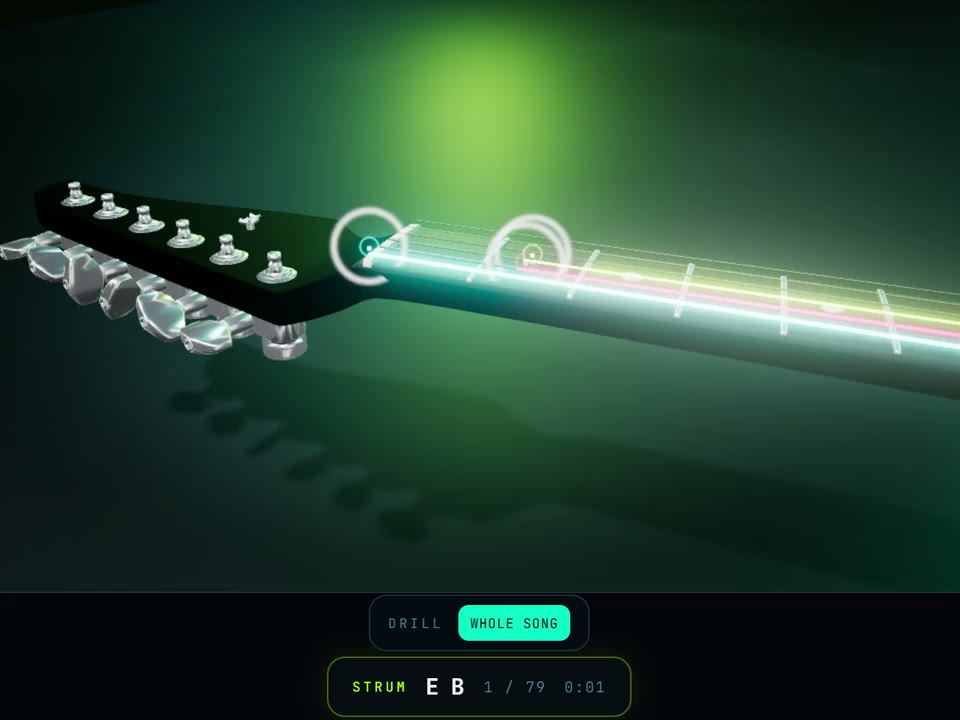
In the 3D Guitar the same thing happens on the instrument itself. Every note of the chord gets a target ring on the neck at its own fret. After a strum that came up short the rings answer in color: lime for the ones that were heard, amber for the ones still missing, and the heard ones stop pulsing so your eye goes straight to what is left. The camera leans in toward the position you owe.
Both are the same session: the player is the lighter one and the better place to practise on a phone; the 3D guitar is the one worth opening on a desktop, because it is also the thing that records the video. On the ten demo songs both are free; on your own files both come with Creator.
Practising a bar, not a song
The passage that needs the work is never the first one. Most apps that listen still make you run at the whole piece from the top, so getting eight difficult notes under your fingers costs you three minutes of playing the parts you already have.
In the 3D Guitar you pick a section and drill it. The passage loops, each pass is counted, and a pass with no wrong notes is marked clean. Three clean passes in a row is the point at which it says the passage is learned and offers you the next one, which is the criterion every practice room has arrived at independently: one clean run is luck, two is a coincidence, three is the shape being in your hand.
Each pass also reports a pace, meaning the written length of the passage against the time you took over it. It is a fair measure of whether you are getting faster, and it is deliberately not a claim about your timing, which nothing here measures.
What it will not do
It does not judge your timing. The wait is the whole mechanic, and a mode that stops the clock has deliberately given up the right to say anything about rhythm. Practising in time against a moving backing track is a different feature with different requirements, including latency calibration, and pretending the wait mode does it would be a lie you could hear.
It verifies a chord, it does not identify one. Ask it whether you are holding the A minor it expects and it can answer. Hold something arbitrary and ask it what you are playing, and it cannot, because those are genuinely different problems and only one of them is built.
It has no song catalog. There is nothing to browse, nothing generated by a model, and nothing that might be transcribed wrong by someone else. It plays the file you brought, exactly as that file was written, which is either the point or a dealbreaker depending on what you came for.
What a session is worth
A finished run gives you a star rating built from how much of it you played and how long you took, and the result is written to a level, a rank and a practice streak on your dashboard, with per song statistics.
That number is worked out on the server, from the file that was actually saved. The browser does not get to state its own score. It is a small thing, and it is the difference between progress that means something and a counter you could edit.
Straight answers
- Practice Mode is free on the ten bundled demo songs, five classics and five riffs. Practicing your own files is part of Creator, and so is slowing a song below 25 percent: EUR 7.99 a month, or EUR 59 a year.
- The speed control itself is free from 25 to 200 percent. Creator takes it down to 5 percent, for the passages you have to build note by note.
- Loading your own files, both fretboard views, looping, the chord library, the tuner and three 1080p videos a month are free, and stay free.
- Your microphone is enough. No cable, no interface and no special pickup, though a device picker is there if you use one.
- Nothing is uploaded to practise. The file is parsed in your browser and the audio never leaves the machine.
- It plays your file, not our catalog: Guitar Pro .gp through .gp7, MusicXML and standard MIDI, with alternate tunings and capo handled properly.