Skip the bouncing ball. A real guitar plays your song.
Bouncing ball videos are fun to watch because a moving thing lands exactly on the beat. But the balls hit random tiles that happen to make sound. Here the same anticipation comes from a photoreal 3D guitar: your song plays on real strings, and every note lights up on the exact fret a guitarist would use.
Drop a MIDI or Guitar Pro file, pick one of five looks or design your own, press export. You get a ready-to-post vertical or landscape video, rendered entirely in your browser.
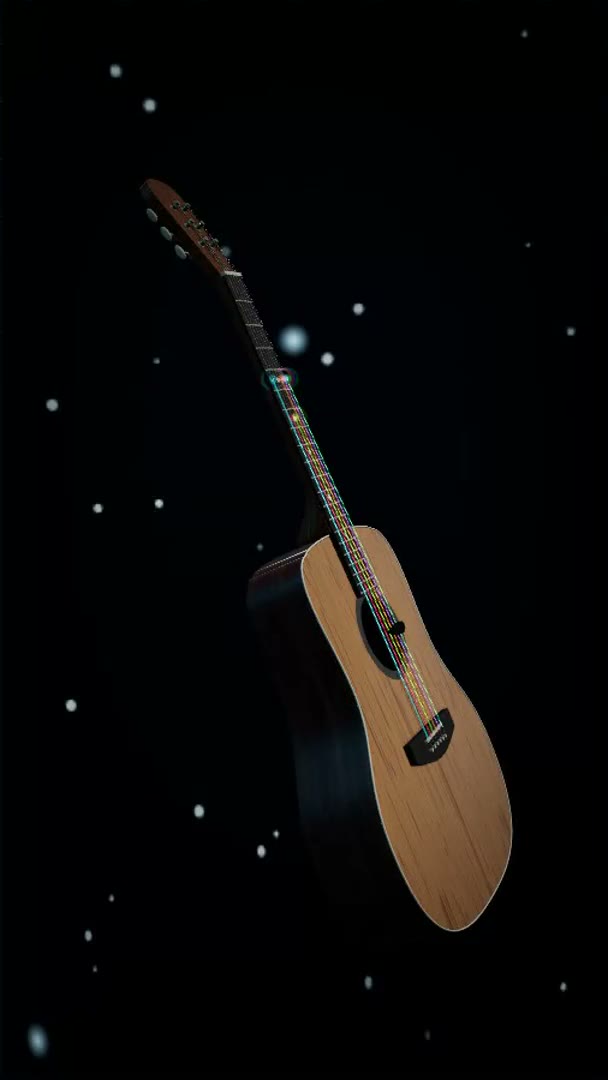
Is this a bouncing ball music video maker?
No, and that is the point of this page. Bouncing ball videos come from physics apps where balls hop through a tile course in time with a song, usually one from the app’s own catalog. Neural-Fretboard serves the same craving with a different star: you load your own MIDI or Guitar Pro file and a photoreal 3D guitar performs it, every note landing on the exact string and fret a guitarist would play. You style the instrument and the scene, then export a 9:16 or 16:9 video straight from the browser, rendered on your device. The free plan covers three full 1080p videos a month with no watermark. If you want your own music driving the video instead of a preset playlist, this is the more direct tool.
Bouncing ball apps vs the 3D Guitar
Both scratch the same itch: something on screen that hits exactly on the beat. What differs is where the music comes from and what performs it.
| Bouncing ball apps | Neural-Fretboard 3D Guitar | |
|---|---|---|
| The star | Balls bouncing through a tile course | A photoreal guitar playing real fingering |
| Your music | Usually the app’s own song catalog | Your own MIDI or Guitar Pro file, any song you have |
| On the beat | Tiles timed to the track | Every note on the string and fret the tab says |
| Styling | Level themes and skins | Five looks, body finishes, lighting, your artwork on the instrument |
| The video file | Depends on the app | Direct 9:16 or 16:9 export, rendered locally, no upload |
| Price | Varies, often ad-supported | Free: 3 videos a month at full 1080p, no watermark |
Three steps to a finished video
Drop your song
A MIDI or Guitar Pro file, or start from a built-in demo song. Guitar Pro imports play the whole band, not just one track.
Style the instrument
Five built-in looks change the scene, the body finish, the string colors and the light. Put your own artwork on the soundboard. Same song, completely different video.
Export
9:16 for TikTok, Shorts and Reels, or 16:9 for YouTube. The two-pass exporter delivers smooth video even on slow laptops.
What you get, honestly
- Free plan: 3 videos per month at full 1080p with no watermark, all 5 built-in looks included.
- Creator plan: unlimited videos at 60 fps, design and save your own looks, your own artwork on the instrument.
- The notes are placed by the same engine the practice app uses, so what you see is real fingering, not decoration.
- Rendering happens on your device. No render queue, no upload wait.